
How to Detect AI-Generated Video (Sora, Veo, Kling and Beyond)
By AI Detector 360 Editorial Team · · 6 min read
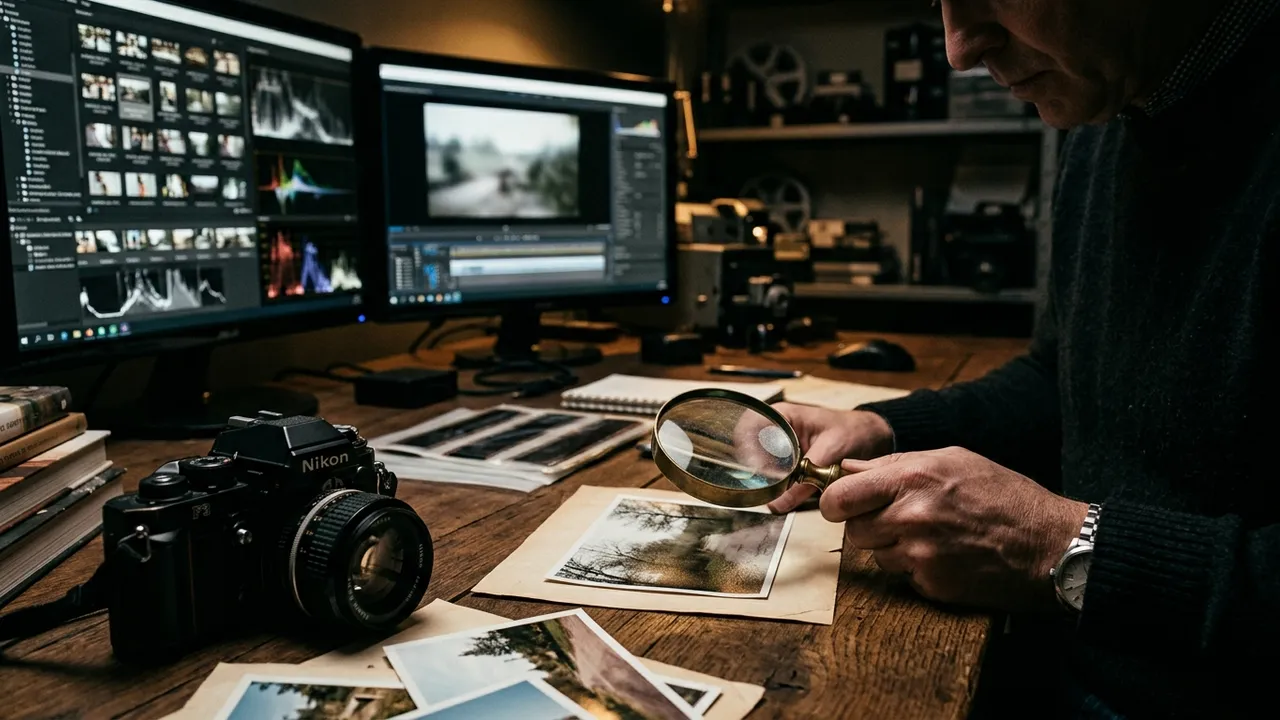
For years, "fake video" meant a deepfaked face on real footage. That era ended when text-to-video went mainstream: OpenAI's Sora 2 launched with its own social app on September 30, 2025, Google's Veo 3 had already added native synchronized audio in May 2025, and Kuaishou's Kling keeps raising the ceiling from the Chinese side. Whole scenes — camera motion, crowds, dialogue — now come out of a prompt.
To detect AI-generated video, work four layers in order: provenance (watermarks, C2PA metadata, platform labels), temporal consistency (do objects and faces stay themselves between frames?), physics (shadows, reflections, collisions), and statistical analysis with a frame-by-frame detector. Fully generated clips fail differently than face-swap deepfakes, so the checks differ too.
Key takeaways
- Sora, Veo and Kling produce entire synthetic scenes — the tells are global (temporal drift, physics slips), not localized to one face.
- Sora downloads carry a visible watermark and C2PA metadata, and Veo output is watermarked with SynthID — but reposts routinely lose all of it.
- Temporal consistency is the weak point: identities, textures and background objects subtly rewrite themselves between frames.
- Frame-by-frame detector analysis catches partial AI segments that a single averaged score would miss — few consumer tools scan video at all.
A new kind of fake
A deepfake starts from real footage and modifies a face, so detection hunts for blending seams — we cover that hunt in the deepfake spotting checklist. A generated video has no real footage anywhere. There's no seam to find, because there's no boundary between real and fake; the entire frame is synthesized, sixteen-plus times per second.
That changes the failure modes. Generators build each moment from learned statistics rather than a persistent 3D world, so their weakness is keeping things the same: the same face, the same shirt pattern, the same number of windows on the building, frame after frame. Humans notice this as a dreamlike quality — nothing is wrong in any single frame, but the scene doesn't quite hold. The checks below turn that vibe into something concrete. The scale of the problem is real; the fraud and volume numbers in our deepfake statistics roundup apply to fully generated video too, and increasingly so.
Check provenance before pixels
Ironically, the newest fakes are the best labeled. Because the major labs launched under regulatory pressure, their outputs ship with disclosure built in:
- Sora: downloads include a visible moving watermark and embedded C2PA metadata, per OpenAI's own launch documentation, and OpenAI keeps internal reverse-search tools that trace clips back to the model.
- Veo: output carries Google's invisible SynthID watermark — we've explained what SynthID can and can't prove separately.
- Platforms: YouTube has required creators to disclose realistic synthetic media since March 2024, and TikTok has auto-labeled incoming content carrying C2PA Content Credentials since May 2024.
So step one is boring: look for the label. Check the corners for watermarks, the caption area for platform AI tags, and — if you have the actual file — its metadata.
Notice the difference between the two platform approaches, because it changes what a label's absence means. TikTok's system reads embedded credentials automatically, so it catches whatever arrives with metadata intact regardless of the uploader's honesty. YouTube's March 2024 rule relies on creators self-disclosing realistic synthetic content — which honest creators do and bad actors, by definition, don't. An unlabeled video on a self-disclosure platform tells you almost nothing.
Then apply the standard caveat, because it decides how much a missing label means: crops remove visible watermarks, re-encoding strips metadata, SynthID is only readable by Google's own tools, and open-source generators mark nothing. On a fresh download from a lab's own product, provenance is near-decisive. On a thrice-reposted clip, its absence is just Tuesday.
How to detect AI-generated video by eye
Three families of tells, in descending order of reliability.
Temporal consistency
Play the clip at 0.25x and pick one element to track at a time. Watch for identity drift — a face that's subtly not the same face at second one and second eight, a plaid shirt whose pattern rewrites itself, a tattoo that migrates. Watch object permanence: background pedestrians who merge or vanish, a glass that changes fill level between cuts, text on signs reshuffling. Generated video is a sequence of extremely plausible moments with imperfect memory between them; memory failures are your evidence.
Physics and continuity
Generators have learned impressive approximate physics, but contact moments still betray them: feet that slide or float on the ground plane, hands that grip without deforming what they hold, collisions that produce no reaction. Shadows and reflections lag or detach during motion. Fluids, smoke, hair and cloth move beautifully in isolation but with inconsistent weight across a scene. When something dips behind an obstacle, watch whether it re-emerges identical — occlusion is a memory test, and models still flunk it regularly.
The audio layer
Veo 3's native audio ended the "silent clip" heuristic, so listen smarter instead: room tone that's too sterile for the visible space, missing incidental sounds (footsteps, cloth rustle, chair creaks), dialogue with no breaths, ambience that doesn't pan as the camera moves. Sound design this clean takes a professional crew — or a model that never recorded a room in the first place.
Scan videos for AI, frame by frame
Our video detector samples frames across the timeline and shows you exactly where AI signals spike.
Try the AI video detectorRun a frame-by-frame analysis
Eyeballing catches the sloppy fakes. For the rest, statistical detection reads what eyes can't: rendering fingerprints in noise distributions, frequency-domain artifacts, and frame-to-frame patterns characteristic of diffusion pipelines.
Video detection barely exists in consumer tools — most "AI detectors" stop at text and maybe images. The AI Detector 360 video detector treats video as a first-class input: it samples frames across the entire timeline, scores each sampled frame independently, and presents the results as a visual timeline with an overall probability and confidence level. The per-frame approach matters for a specific reason — hybrid edits. A real interview with eight seconds of generated B-roll spliced in will average out to "probably fine" in any single-score system; on a timeline view, those eight seconds spike.
Sampling across the timeline (rather than just grabbing the opening frames) also defeats a lazy but common evasion: putting authentic footage up front and synthetic material later, on the correct assumption that most checks — human and automated — front-load their attention. Reading the report is straightforward: a uniformly elevated timeline suggests fully generated footage, isolated spikes suggest splices or inserted segments, and a flat low line with poor confidence usually means the copy is too degraded to judge — go find a better copy. In credit terms, a video scan costs 25 credits against 5 for a single image, which is exactly why we suggest key-frame triage first and the full timeline scan for clips that survive it.
Honesty clause, as always: compression, re-encoding and screen recording degrade the statistical signal for us and for everyone, which is why the report tells you when confidence is low instead of rounding to a confident-looking number. And for a fast first pass, extracting two or three key frames and running them through AI Detector 360's image detector costs a fraction of a full video scan and often settles easy cases.
The complete workflow
- Trace the source. Earliest upload, account history, claimed context.
- Check labels and provenance. Watermarks, platform tags, C2PA if you hold the file.
- Slow-motion pass. Temporal drift, physics slips, occlusion failures.
- Audio pass. Room tone, breaths, ambience-to-scene match.
- Detector scan. Frame-by-frame analysis; read the timeline, not just the headline score.
- Decide on convergence. Two or more independent signals, or keep digging.
The generators will keep improving — Sora's launch-week glitches are already period pieces. What compounds in your favor is process: provenance infrastructure spreads, platform labeling hardens, and detection models retrain. Verification in 2026 isn't about having sharper eyes than a diffusion model. It's about refusing to let any single channel — including your eyes — carry the verdict alone.
Scan videos for AI, frame by frame
Our video detector samples frames across the timeline and shows you exactly where AI signals spike.
Try the AI video detectorFrequently asked questions
Does every Sora video carry a watermark?
Sora downloads ship with a visible moving watermark plus embedded C2PA metadata, and OpenAI maintains internal tools that can trace clips back to Sora. But watermarks get cropped, blurred or re-encoded away, and metadata rarely survives social platforms — so their absence on a repost means very little. Presence is informative; absence isn't.
Can a detector tell me which AI model made a video?
Sometimes, within limits. Generator families leave characteristic rendering fingerprints, and attribution models can flag a clip as consistent with one of them. Attribution confidence is inherently lower than plain AI-vs-real scoring, though, and brand-new model releases won't be recognized until detectors retrain. Treat attribution as an investigative lead rather than a fact.
Do AI video detectors work on screen recordings of a video?
Poorly, and it's worth understanding why: a screen recording is a new video of your monitor, which wipes metadata entirely and overlays fresh encoding on top of the original pixels. Statistical traces survive only partially. If a clip matters, hunt down the most original file you can — the first upload, ideally — before scanning it.
Is detecting AI-generated video the same as detecting deepfakes?
They're different problems that share a toolbox. Deepfakes graft a synthetic face onto real footage, so you hunt for blending seams around one face. Fully AI-generated video has no real footage anywhere, so the tells are global: temporal flicker, physics violations, background morphing. A good workflow checks for both, because a suspicious clip could be either.
Sources & further reading
Fair-use note: AI detection scores — from any tool, including ours — are probabilistic estimates, not proof. Never make academic, employment or legal decisions on a score alone.
Related reading
Deepfake Statistics 2026: Growth, Fraud and Detection Rates
Verified deepfake statistics for 2026: $40B projected US fraud losses, an attack every five minutes, a 0.1% human detection rate, and the laws now in force.
Aug 28, 2026 · 6 min read
What Are C2PA Content Credentials? Provenance Explained Simply
What is C2PA? A plain-English guide to Content Credentials: how signed provenance manifests work, who embeds them in 2026, and why absence proves nothing.
Aug 14, 2026 · 6 min read
How to Spot a Deepfake Video in 2026: A Practical Checklist
99.9% of people failed a deepfake spotting test. How to spot a deepfake video in 2026: face boundary glitches, lip-sync drift, lighting mismatch, audio tells.
Jul 6, 2026 · 7 min read